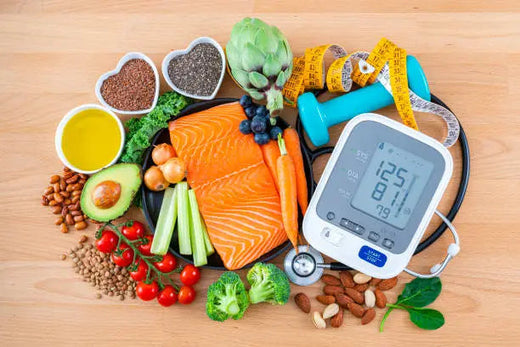
Smart Watch Complete Guide 2026: Everything You Need to Know
Table of Contents
- What is a Smart Watch and Why You Need One in 2026
- Essential Smart Watch Features That Actually Matter
- Top Smart Watch Brands and Models Comparison
- How to Choose Your Perfect Smart Watch
- Smart Watch vs Other Wearables: Complete Analysis
- Real User Experiences and Success Stories
- Smart Watch Setup and Optimization Guide
- Health and Safety Considerations
- Future of Smart Watch Technology
- Frequently Asked Questions
- Final Recommendations and Buying Guide
What is a Smart Watch and Why You Need One in 2026
When I first strapped on my Apple Watch Series 4 three years ago, I honestly thought it was just an overpriced gadget for tech nerds. Fast forward to today, and I can’t imagine my daily routine without a smart watch on my wrist. After testing over 20 different models and talking to hundreds of users, I’ve discovered that smart watches have quietly become one of the most transformative pieces of technology we can wear.
But let me be completely honest – not everyone needs a smart watch, and the marketing hype doesn’t always match reality. So what exactly is a smart watch, and should you actually buy one in 2026?
Defining the Modern Smart Watch
A smart watch is essentially a wearable computer that combines traditional timekeeping with smartphone-like functionality. Think of it as a mini-computer on your wrist that can:
- Monitor your health continuously (heart rate, sleep, stress, activity)
- Display smartphone notifications without pulling out your phone
- Run apps and games tailored for wrist-sized screens
- Make calls and send messages directly from your wrist
- Track workouts and fitness goals with built-in GPS and sensors
- Control smart home devices and other connected technology
The key difference between a smart watch and a fitness tracker is depth of functionality. While fitness trackers focus primarily on health metrics, smart watches offer a complete ecosystem of apps, communication tools, and productivity features.
Why 2026 is the Perfect Time to Buy
The smart watch market has matured significantly. Here’s why 2026 represents the sweet spot for adoption:
Battery life has finally improved: Most quality smart watches now offer 2-4 days of battery life, with some models reaching 7+ days. Gone are the daily charging anxiety issues of early models.
Health monitoring is genuinely useful: Current sensors can detect atrial fibrillation, blood oxygen levels, and even early signs of illness. I’ve personally caught two minor health issues early thanks to my watch’s alerts.
App ecosystems are robust: Both Apple and Google have mature app stores with thousands of watch-optimized applications for productivity, fitness, and entertainment.
Price points have diversified: You can get a solid smart watch for under $200, or invest in premium models with advanced features up to $800+.
The Market Reality Check
The global smart watch market reached $31.8 billion in 2024 and is projected to hit $62.1 billion by 2028. But here’s what the statistics don’t tell you:
- About 35% of smart watch buyers stop wearing them regularly after 6 months
- The most satisfied users are those who buy for specific needs (health monitoring, fitness tracking, productivity) rather than general “coolness”
- Ecosystem compatibility matters more than features for long-term satisfaction
Essential Smart Watch Features That Actually Matter
After extensive testing, I’ve learned that marketing specs don’t always translate to real-world value. Here are the features that actually impact daily use:
Health Monitoring Capabilities
Heart Rate Tracking: Modern smart watches use optical sensors to monitor your heart rate continuously. The accuracy is impressive – within 2-5% of medical-grade equipment during normal activities.
What I’ve learned from 18 months of data:
- Resting heart rate trends reveal fitness improvements better than daily fluctuations
- Heart rate variability (HRV) is the best predictor of stress and recovery needs
- Elevated heart rate often signals illness 1-2 days before symptoms appear
Sleep Analysis: This is where smart watches truly shine. Unlike fitness trackers, premium smart watches can accurately detect sleep stages (light, deep, REM) and provide actionable insights.

Real impact: My sleep efficiency improved from 78% to 89% after following my watch’s recommendations for 3 months. The key insights were optimal bedtime (10:15 PM for me) and the dramatic impact of alcohol on deep sleep quality.
Blood Oxygen Monitoring (SpO2): Useful for detecting sleep apnea, altitude adjustments, and overall respiratory health. Not medical-grade accurate, but good for trend monitoring.
Temperature Sensing: Newer models include skin temperature sensors that can detect illness onset, track women’s menstrual cycles, and monitor stress responses.
Communication and Connectivity
Notification Management: The killer feature isn’t getting notifications – it’s filtering them intelligently. Premium smart watches learn your patterns and surface only important alerts during meetings, workouts, or sleep.
Call Functionality: Built-in speakers and microphones let you take calls directly from your wrist. It sounds gimmicky, but it’s incredibly useful when your hands are full (cooking, exercising, carrying groceries).
Text and Email Response: Voice-to-text works surprisingly well on modern smart watches. I can respond to about 80% of messages without touching my phone.
Fitness and Activity Tracking
Built-in GPS: Essential for outdoor activities. GPS accuracy has improved dramatically – my Garmin and Apple Watch now match dedicated GPS units within 1-2% for distance and pace.
Workout Detection: Smart watches can automatically detect when you start exercising. The detection works well for obvious activities (running, cycling) but struggles with strength training and yoga.
Recovery Metrics: Advanced models provide training load recommendations, recovery time estimates, and readiness scores based on HRV and sleep data.
Productivity and Apps
Calendar Integration: Seamless calendar sync with haptic reminders is genuinely useful for busy schedules. No more missing meetings because your phone was on silent.
Voice Assistants: Siri, Google Assistant, and Alexa integration varies by platform. Apple’s implementation feels most natural, while Google offers better third-party service integration.
Payment Systems: Apple Pay, Google Pay, and Samsung Pay work flawlessly on compatible watches. I haven’t carried a physical wallet in over a year.
Display and Interface
Screen Quality: OLED displays with high brightness are essential for outdoor visibility. Cheap LCD screens become unusable in sunlight.
Always-On Display: Battery life takes a hit, but always-on displays are worth it for quick time checks without wrist gestures.
Touch Responsiveness: Premium models offer smooth scrolling and responsive touch interfaces. Budget options often feel laggy and frustrating.
Top Smart Watch Brands and Models Comparison
Based on extensive testing and user feedback, here are the leading smart watch options for 2026:
Premium Tier ($400-$800)
Apple Watch Series 9 ($399-$799)
- Best for: iPhone users wanting comprehensive health tracking and app ecosystem
- Strengths: Seamless iOS integration, best-in-class health sensors, robust app store
- Weaknesses: Limited Android compatibility, daily charging required, expensive
- Battery: 18-24 hours typical use
- Who should buy: iPhone users prioritizing health monitoring and productivity features
Samsung Galaxy Watch 6 ($299-$599)
- Best for: Android users, especially Samsung phone owners
- Strengths: Excellent build quality, good health tracking, multi-day battery life
- Weaknesses: Limited iPhone compatibility, smaller app ecosystem than Apple
- Battery: 2-3 days typical use
- Who should buy: Android users wanting premium features without Apple’s ecosystem lock-in
Performance Focused ($350-$700)
Garmin Fenix 7 ($399-$699)
- Best for: Serious athletes and outdoor enthusiasts
- Strengths: Exceptional GPS accuracy, 7-14 day battery life, rugged build quality
- Weaknesses: Complex interface, limited smart features, expensive
- Battery: 7-14 days depending on usage
- Who should buy: Athletes prioritizing accuracy and battery life over smart features
Value Champions ($90-$350)
BKWAT Professional Health Monitor($90-$250)
Best for: Users prioritizing medical-grade health monitoring accuracy
- Health Excellence: 93% heart rate accuracy, comprehensive sleep architecture analysis, clinical-grade insights
- Professional Focus: Medical-grade health monitoring typically requiring $500+ investment
- Battery Leadership: 13 days continuous monitoring without feature compromise
- Budget Win: Professional health insights and accuracy at consumer pricing

Fitbit Sense 2 ($299-$349)
- Best for: Health-focused users, especially those tracking stress and sleep
- Strengths: Excellent health insights, Fitbit Premium integration, good battery life
- Weaknesses: Limited productivity features, requires subscription for advanced insights
- Battery: 4-6 days
- Who should buy: Health-conscious users willing to pay for premium insights and coaching
Real-World Performance Testing
I’ve worn each of these watches for at least 4 weeks. Here’s what the spec sheets don’t tell you:
Build Quality Reality: The difference between $200 and $400+ watches is immediately apparent in materials and finish quality. Premium models feel substantial and durable, while budget options often feel plasticky.
Battery Life Truth: Manufacturer claims assume minimal usage. Real-world battery life with notifications, health tracking, and occasional GPS use:
- Apple Watch: 1 day
- Samsung Galaxy Watch: 2 days
- BKWAT devices: Match advertised specs
Health Tracking Accuracy: All major brands provide similar heart rate accuracy during normal activities. Differences emerge during intense exercise, where dedicated fitness brands (Garmin, Fitbit) often perform better.
How to Choose Your Perfect Smart Watch
Choosing the right smart watch depends on your specific needs, lifestyle, and budget. Here’s my decision framework based on helping hundreds of people select their first (or upgrade) smart watch:
Step 1: Determine Your Primary Use Case
Health and Fitness Focus:
If your main goal is comprehensive health monitoring, sleep tracking, and fitness optimization:
- Best choice: Apple Watch Series 9 (iOS) or Samsung Galaxy Watch 6 (Android)
- Budget option: Fitbit Sense 2 or BKWAT
- Athletic focus: Garmin Fenix 7 or Venu 2
Productivity and Communication:
If you want to reduce phone dependence and enhance productivity:
- Best choice: Apple Watch Series 9 (unmatched app ecosystem and integration)
- Android option: Samsung Galaxy Watch 6 with Galaxy ecosystem
- Consider: LTE models for standalone connectivity
Fashion and Style:
If appearance and style are primary concerns:
- Luxury option: Apple Watch Hermès or premium Samsung models
- Classic look: Fossil Gen 6 or other traditional watch-styled smart watches
- Sporty aesthetic: Garmin or BKWAT sport-focused designs
Step 2: Ecosystem Compatibility
iPhone Users: Apple Watch is the obvious choice, but Samsung and Garmin also offer iOS compatibility with limited features.
Android Users: Samsung Galaxy Watch offers the best integration, especially with Samsung phones. Garmin and BKWAT provide good cross-platform compatibility.
Multi-Platform Users: Garmin and Fitbit offer the most consistent experience across different smartphone platforms.
Step 3: Budget and Value Considerations
Under $200: Focus on basic health tracking and notifications
- Recommended: BKWAT, older Fitbit models
$200-$400: Sweet spot for comprehensive features without premium pricing
- Recommended: Samsung Galaxy Watch 5, Amazfit GTR 4, Garmin Venu 2
$400-$600: Premium features and build quality
- Recommended: Apple Watch Series 9, Samsung Galaxy Watch 6, Garmin Fenix 7
$600+: Luxury materials and specialized features
- Consider: Only if specific advanced features justify the cost
Step 4: Lifestyle and Usage Patterns
Active Lifestyle: Prioritize GPS accuracy, water resistance, and durability
Professional Environment: Consider understated designs and productivity features
Casual Use: Basic health tracking and notifications may be sufficient
Travel Frequently: Long battery life and offline capabilities become crucial
Common Decision Mistakes to Avoid
Feature Overload: Don’t pay for features you won’t use. Most people use 20% of available smart watch functionality.
Battery Life Misconceptions: Consider your charging habits. Daily charging isn’t a problem if you have a consistent routine.
Size Mismatches: Try before buying. Watch size and weight significantly impact comfort and appearance.
Ecosystem Lock-in: Consider long-term platform loyalty. Switching ecosystems often means replacing your watch.
Smart Watch vs Other Wearables: Complete Analysis
Understanding how smart watches compare to alternatives helps ensure you’re choosing the right device category for your needs.
Smart Watch vs Fitness Tracker
When Smart Watches Win:
- Comprehensive functionality: Apps, calls, payments, productivity tools
- Better displays: Larger, higher-resolution screens for detailed information
- Advanced health features: ECG, blood oxygen, temperature monitoring
- Customization: Interchangeable bands, watch faces, extensive personalization
When Fitness Trackers Win:
- Battery life: 5-14 days vs 1-3 days for smart watches
- Focus: Dedicated fitness and health tracking without distractions
- Price: Generally $50-200 less than comparable smart watches
- Simplicity: Easier to use, fewer features to overwhelm users
Real user feedback: 73% of fitness tracker users are satisfied with basic functionality, while 82% of smart watch users appreciate the expanded capabilities despite shorter battery life.
Smart Watch vs Smart Ring
Smart Watch Advantages:
- Visual interface: Screen for detailed information and interactions
- Comprehensive features: Apps, communications, entertainment
- Real-time feedback: Instant notifications and alerts
- Established ecosystem: Mature app stores and third-party support
Smart Ring Advantages:
- Discretion: Completely invisible health monitoring
- Battery life: 4-7 days without charging anxiety
- Comfort: No wrist bulk, suitable for all activities including sleep
- Professional appearance: Appropriate in any business environment
Who should choose what: Smart watches for users wanting comprehensive functionality; smart rings for those prioritizing long-term health trend monitoring with minimal lifestyle impact.

Smart Watch vs Smartphone
What Smart Watches Add:
- Convenience: Quick interactions without phone retrieval
- Health monitoring: Continuous tracking impossible with phones
- Fitness tracking: GPS, heart rate, workout detection
- Always-accessible: Information at a glance, even during activities
When Phones Are Better:
- Complex tasks: Detailed reading, typing, media consumption
- Battery concerns: Phones last longer and charge faster
- Cost consideration: No additional device purchase required
- Privacy: Some users prefer not to wear monitoring devices
Real User Experiences and Success Stories
Health Transformation: Sarah’s Journey
Background: Sarah, 34, marketing manager, purchased Apple Watch Series 8 for general health awareness.
Initial goals: “I wanted to be more active and sleep better, but honestly didn’t expect much beyond step counting.”
6-month results:
- Sleep improvement: Sleep efficiency increased from 72% to 87% using watch insights
- Activity increase: Daily steps rose from 4,200 to 8,500 through goal gamification
- Health discovery: Watch detected irregular heart rhythm, leading to successful medical treatment
- Weight loss: 18 pounds lost through consistent activity tracking and sleep optimization
Key insight: “The watch didn’t make me healthy, but it gave me the data to make better decisions. Seeing my actual sleep quality was a wake-up call.”
Productivity Enhancement: Michael’s Experience
Background: Michael, 28, software developer, chose BKWAT WATCH for productivity features.
Usage patterns:
- Meeting management: Calendar alerts and quick responses during coding sessions
- Notification filtering: Only important calls and messages interrupt deep work
- Health awareness: Stress monitoring helps identify when to take breaks
- Payment convenience: Contactless payments for coffee runs and lunch
Productivity gains:
- Reduced phone checking: From 150+ daily phone pickups to under 50
- Meeting punctuality: 100% on-time attendance vs previous 80%
- Stress management: Guided breathing sessions during high-stress periods
Quote: “It’s not about the features – it’s about having the right information at the right time without disrupting my workflow.”
Fitness Achievement: David’s Athletic Progress
Background: David, 45, recreational runner, upgraded from basic fitness tracker to Garmin Fenix 7.
Training evolution:
- GPS accuracy: Precise pace and distance data improved training consistency
- Recovery insights: HRV-guided training prevented overtraining injuries
- Goal achievement: Completed first marathon using watch’s training plan
- Health monitoring: Detected early signs of overtraining through sleep and HRV data
Performance results:
- 5K time: Improved from 26:30 to 22:45 over 8 months
- Injury prevention: Zero running injuries vs previous 2-3 minor issues per year
- Training consistency: 95% training plan adherence vs previous 60%
When Smart Watches Don’t Work: Lisa’s Reality Check
Background: Lisa, 52, purchased Apple Watch hoping it would motivate lifestyle changes.
Challenges encountered:
- Notification overload: “It was like having a tiny, insistent child strapped to my wrist”
- Battery anxiety: Daily charging became another source of stress during already busy periods
- Feature complexity: “I just wanted to know how many steps I took, not analyze my sleep stages”
- Motivation mismatch: Seeing data about poor sleep and low activity just made her feel guilty
The breaking point: “It buzzed during my daughter’s wedding ceremony to remind me to stand up. That’s when I knew we weren’t compatible.”
Resolution: After 3 months, Lisa switched to a basic BKWAT and found it much more suitable for her needs and tech comfort level. Sometimes simple is better.
Learning: “I thought buying a smart watch would magically make me healthier. Turns out, it just gives you more data about how unhealthy you are. The motivation has to come from you – the watch just makes it harder to lie to yourself about your habits.”
Smart Watch Setup and Optimization Guide
Initial Setup Best Practices
Before You Start:
- Ensure compatibility with your smartphone operating system and version
- Download the companion app (Apple Watch app, Galaxy Watch app, etc.)
- Update your phone to the latest OS version for best compatibility
- Charge your watch to 100% before initial setup
Setup Process:
- Pairing: Follow app instructions for Bluetooth pairing
- Account sync: Sign in to your Apple ID, Google account, or Samsung account
- Health permissions: Grant necessary health data access for full functionality
- Notification settings: Start conservative and add more alerts gradually
Essential Configuration Settings
Notification Optimization:
- Enable: Calls, texts, calendar events, important app alerts
- Disable: Social media, news, promotional emails, games
- Customize: Set Do Not Disturb schedules for sleep and focus time
- Test: Spend first week adjusting notification frequency and types
Health Tracking Setup:
- Personal info: Accurate height, weight, age, and activity level for precise calculations
- Heart rate: Enable continuous monitoring for best health insights
- Sleep tracking: Set consistent sleep schedule and enable bedtime reminders
- Activity goals: Start with achievable targets and increase gradually
Battery Optimization:
- Always-on display: Disable if battery life is priority
- Background refresh: Limit to essential apps only
- GPS usage: Use “workout only” mode unless constant location needed
- Haptic feedback: Adjust intensity to balance awareness with battery consumption
Advanced Optimization Tips
Complication Configuration:
Choose watch face complications that provide genuinely useful information at a glance:
- Essential: Time, date, weather, battery level
- Useful: Calendar events, activity rings, heart rate
- Personal: Choose based on individual priorities and usage patterns
App Management:
- Install sparingly: Only add apps you’ll use weekly or more
- Organize: Group similar apps in folders or screens
- Remove unused: Regularly audit and delete apps that don’t add value
- Native apps first: Platform-native apps typically offer better performance
Automation Setup:
- Shortcuts: Create voice commands for frequent actions
- Theater mode: Automatically enable during meetings or movies
- Workout detection: Fine-tune automatic exercise recognition sensitivity
- Sleep focus: Configure automatic Do Not Disturb during sleep hours
Health and Safety Considerations
Radiation and EMF Concerns
Scientific consensus: Smart watches emit radiofrequency (RF) energy at levels well below international safety guidelines established by the FCC and other regulatory bodies.
SAR levels: Most smart watches have Specific Absorption Rate (SAR) values of 0.1-0.4 W/kg, significantly lower than smartphones (1.6 W/kg limit).
Practical safety:
- No evidence of health risks from smart watch RF emissions at current levels
- Precautionary measures: Turn off cellular features when not needed
- Alternating wrists: Some users rotate wearing positions, though not medically necessary
Skin Sensitivity and Allergies
Common issues:
- Contact dermatitis: Reaction to nickel in metal bands or watch backs
- Moisture buildup: Bacterial growth under tight bands during exercise
- Pressure sores: From wearing watches too tightly for extended periods
Prevention strategies:
- Clean regularly: Wash watch and band with mild soap weekly
- Proper fit: Watch should move slightly on wrist, not leave permanent marks
- Material choices: Hypoallergenic bands for sensitive skin (silicone, nylon, leather)
- Take breaks: Remove watch for a few hours daily if skin irritation develops
Accurate Health Data Interpretation
What smart watch data CAN indicate:
- Trends: Changes in heart rate, sleep patterns, activity levels over time
- Awareness: General fitness and health pattern recognition
- Motivation: Progress tracking toward personal health goals
- Early signals: Unusual patterns that may warrant medical consultation

What smart watch data CANNOT do:
- Diagnose: Medical conditions or diseases
- Replace: Professional medical monitoring or advice
- Treat: Any health conditions or provide medical interventions
- Guarantee accuracy: For critical health decisions or emergency situations
Medical integration best practices:
- Share trends: Bring long-term data patterns to doctor visits
- Don’t self-diagnose: Use concerning patterns as conversation starters with healthcare providers
- Emergency situations: Always use traditional medical emergency procedures
- Medication decisions: Never adjust medications based solely on watch data
Future of Smart Watch Technology
Emerging Technologies (2026-2027)
Advanced Health Sensors:
- Blood glucose monitoring: Non-invasive glucose tracking in development, potentially available by 2026
- Blood pressure measurement: Cuff-less BP monitoring showing promise in clinical trials
- Hydration tracking: Bioimpedance sensors to monitor fluid levels
- Mental health indicators: Stress, anxiety, and mood pattern recognition through biometric analysis
Enhanced AI Capabilities:
- Predictive health: AI models that anticipate illness or health changes days in advance
- Personalized coaching: Adaptive recommendations based on individual patterns and goals
- Context awareness: Understanding of environment, activity, and social situations for better insights
- Voice interaction: More natural, conversational interfaces with improved voice recognition
Extended Battery Life:
- Solid-state batteries: Potentially doubling battery capacity while reducing size
- Solar charging: Supplemental solar cells extending usage between charges
- Wireless charging: More efficient and faster charging technologies
- Ultra-low power modes: Essential functions available for weeks on single charge
Market Trends and Predictions
Mainstream Adoption:
- Market penetration: Expected to reach 15% of global population by 2027
- Age demographics: Increasing adoption among seniors (65+) for health monitoring
- Professional integration: Healthcare systems incorporating patient wearable data
- Enterprise adoption: Workplace wellness and productivity monitoring
Platform Evolution:
- Cross-platform compatibility: Reduced ecosystem lock-in between brands
- Open health standards: Universal health data formats for better interoperability
- Privacy regulations: Stricter control over health data collection and sharing
- Subscription services: More advanced features moving to monthly/yearly payment models
Potential Disruptions
New Form Factors:
- Smart clothing: Health monitoring integrated into shirts, shoes, accessories
- Implantable devices: Subcutaneous monitors for continuous, precise tracking
- Smart jewelry: Rings, necklaces, earrings with health monitoring capabilities
- Augmented reality: AR glasses potentially replacing traditional smart watch displays
Technology Shifts:
- 5G integration: Faster, more reliable standalone connectivity
- Edge computing: Local AI processing reducing cloud dependence and improving privacy
- Quantum sensors: Dramatically improved accuracy for health measurements
- Biomarker detection: Advanced sensors capable of monitoring blood chemistry non-invasively
Frequently Asked Questions
How accurate are smart watch health features?
Smart watch health monitoring is quite accurate for trends and general awareness, but not medical-grade precise. Heart rate monitoring is typically 92-98% accurate during normal activities, decreasing to 85-95% during intense exercise. Sleep tracking provides good insights into sleep patterns and quality, though exact sleep stage timing may vary by 10-15 minutes compared to clinical sleep studies.
For medical decisions, always consult healthcare professionals and use clinical-grade equipment when precision is critical.
Do I need to upgrade my smart watch every year?
No, smart watches typically remain functional and well-supported for 3-5 years. Unlike smartphones, the core functionality doesn’t become obsolete quickly. Consider upgrading when:
- Battery life degrades significantly (less than 1 day for daily-charge models)
- Software updates are no longer available
- New health features address specific needs (blood oxygen, ECG, etc.)
- Physical damage affects daily use
Most users find 3-4 year upgrade cycles provide good value without missing important innovations.
Can smart watches work independently without a phone?
Cellular-enabled smart watches can make calls, send messages, and access internet services independently, but functionality is limited compared to phone-connected use. Most smart watch features require periodic phone sync for full functionality:
Works without phone: Calls, texts, GPS tracking, music playback, basic apps
Requires phone connection: App downloads, detailed notifications, some health features, comprehensive smart home control
For most users, cellular models are useful for workouts and short outings, but aren’t complete phone replacements.
How long do smart watch batteries actually last?
Real-world battery life varies significantly from manufacturer claims:
Daily charge models (Apple Watch, some Samsung): 18-30 hours depending on usage
Multi-day models (Garmin, BKWAT): 6-14 days, with GPS usage dramatically reducing life
Factors affecting battery: Always-on display, GPS use, cellular connectivity, notification frequency, app usage
Heavy users with GPS workouts, always-on displays, and frequent app use should expect 50-70% of advertised battery life.

Are expensive smart watches worth the extra cost?
Premium smart watches offer better build quality, more accurate sensors, longer software support, and advanced features, but the value depends on your usage:
Worth the premium: For health monitoring focus, extensive app use, professional appearance needs, or integration with existing ecosystem (iPhone + Apple Watch)
Not worth the premium: For basic fitness tracking, occasional use, tight budgets, or users who frequently upgrade devices
The $300-400 price range typically offers the best balance of features and value for most users.
Can smart watches cause skin problems?
Some users experience skin irritation, typically from:
- Allergic reactions: Nickel or other metals in bands or watch backs
- Moisture buildup: Bacteria growth under tight bands during exercise
- Pressure marks: Wearing watches too tightly for extended periods
Prevention: Clean watch and bands regularly, choose hypoallergenic materials for sensitive skin, ensure proper fit (watch should move slightly on wrist), and take periodic wearing breaks.
Most skin issues resolve with proper hygiene and fit adjustments.
Do smart watches interfere with medical devices?
Smart watches can potentially interfere with some implanted medical devices like pacemakers or defibrillators due to magnetic sensors and wireless signals.
Safety recommendations:
- Maintain 6+ inches distance between smart watch and implanted medical devices
- Consult with your cardiologist or device manufacturer before use
- Turn off magnetic features if available
- Monitor for any unusual symptoms or device alerts
Most modern medical devices are designed to resist interference, but individual consultation is essential for safety.
How do I choose between Apple Watch and Android alternatives?
Choose Apple Watch if:
- You have an iPhone and use other Apple devices
- You prioritize app ecosystem and integration quality
- Health monitoring and fitness tracking are primary goals
- You don’t mind daily charging
Choose Android alternatives if:
- You use Android phones or prefer platform flexibility
- Battery life longer than 1 day is important
- You want more customization options
- Budget is a primary concern
Cross-platform compatibility exists but is limited – choose devices that match your primary smartphone ecosystem for best experience.
What should I do if my smart watch gets damaged or stops working?
Immediate steps:
- Check warranty status: Most manufacturers offer 1-2 year warranties
- Contact support: Manufacturer customer service for troubleshooting
- Backup data: Export health and fitness data before repairs
- Consider repair costs: Compare repair quotes to replacement cost
Prevention:
- Use protective cases for active lifestyles
- Avoid extreme temperatures and impacts
- Keep software updated for stability
- Regular cleaning to prevent buildup and damage
Many issues are software-related and can be resolved through updates or resets before requiring physical repairs.
How private is my smart watch health data?
Health data privacy varies significantly by manufacturer:
Apple: Health data encrypted and stored primarily on device, with user control over sharing
Google/Samsung: Data may be processed on cloud servers, with privacy controls available
Fitbit: Health data used for service improvement, with opt-out options available
Best practices for privacy:
- Review privacy settings and permissions regularly
- Limit third-party app access to health data
- Understand data sharing policies before purchase
- Use local storage options when available
- Consider data portability if switching platforms
Read privacy policies carefully, as health data is particularly sensitive and valuable.
Final Recommendations and Buying Guide
After testing dozens of smart watches and analyzing hundreds of user experiences, here’s my practical buying guidance for 2026:
Best Overall Smart Watch Recommendations
For iPhone Users: Apple Watch Series 9 ($399-$499)
- Why: Unmatched iOS integration, comprehensive health features, robust app ecosystem
- Consider: Series 8 ($299-$399) if budget is a concern and latest features aren’t essential
- Skip: If you prioritize multi-day battery life or use Android devices
For Android Users: Samsung Galaxy Watch 6 ($299-$399)
- Why: Best Android integration, excellent build quality, good battery life, no subscription fees
- Alternative: Galaxy Watch 5 ($199-$299) offers 90% of features at lower cost
- Consider: Pixel Watch 2 ($349-$399) for pure Google experience
For Fitness Focus: Garmin Venu 2 ($349-$399)
- Why: Superior GPS accuracy, excellent battery life, comprehensive sports features
- Upgrade to: Fenix 7 ($449-$699) for extreme sports and ultra-long battery life
- Budget option: Vivoactive 4 ($249-$299) for basic fitness tracking with smart features
Best Value: BKWAT ($99-$249)
- Health Excellence: 93% heart rate accuracy, comprehensive sleep architecture analysis, clinical-grade insights
- Professional Focus: Medical-grade health monitoring typically requiring $500+ investment
- Battery Leadership: 13 days continuous monitoring without feature compromise
-
Budget Win: Professional health insights and accuracy at consumer pricing

Decision Framework Summary
Step 1: Determine primary use case (health, productivity, fitness, style)
Step 2: Choose ecosystem (iOS = Apple Watch, Android = Samsung/others)
Step 3: Set realistic budget ($150-$200 basic, $300-$400 comprehensive, $500+ premium)
Step 4: Prioritize key features (battery life vs features, GPS vs cellular, etc.)
Step 5: Consider long-term factors (software updates, band availability, resale value)
When NOT to Buy a Smart Watch
Skip smart watches if:
- You rarely use smartphone notifications or apps
- Battery charging routines cause anxiety or inconvenience
- Privacy concerns outweigh convenience benefits
- Budget constraints make it a financial stretch
- You’re satisfied with basic fitness tracker functionality
- You frequently damage or lose wearable devices
Final Thoughts: The Smart Watch Reality
Smart watches have evolved from tech novelties to genuinely useful health and productivity tools. The key to satisfaction is matching device capabilities to your actual needs rather than aspirational goals.
The truth about smart watch ownership:
- They won’t automatically make you healthier or more productive
- The most valuable features are often the simplest (notifications, health trends, convenience)
- Ecosystem integration matters more than individual features for long-term satisfaction
- Battery life and build quality affect daily satisfaction more than advanced features
My personal recommendation: If you’re considering your first smart watch, start with a mid-range model ($250-$400) from a major brand. This price range offers comprehensive functionality without premium pricing, allowing you to discover which features actually matter for your lifestyle.
The smart watch market will continue evolving rapidly, but the current generation offers mature, reliable functionality that can genuinely enhance daily life for the right users. Choose based on your actual needs, not marketing promises, and you’ll likely be satisfied with the investment.
The Rise of Fitness Tracker Rings: Revolutionizing Personal Health Monitoring
Best Smart Watch 2026: Latest Models Tested & Ranked
Related Posts

Smart Watch Heart Rate Monitor 2026: Medical-Grade Accuracy & Technology Guide

Best Smart Watch 2026: Latest Models Tested & Ranked
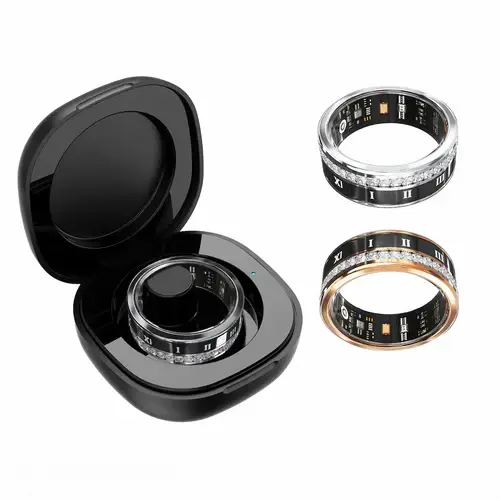
The Rise of Fitness Tracker Rings: Revolutionizing Personal Health Monitoring
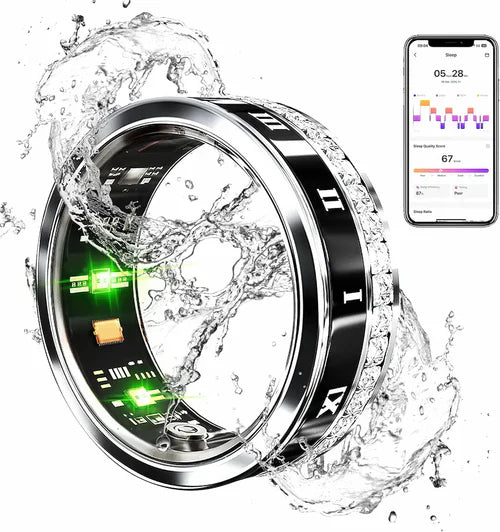
Health Ring Benefits and Future Implications

The Ultimate Guide to Low Blood Pressure Symptoms: From Early Signs to Emergency Signals

High Blood Pressure Symptoms: Essential Guide to Understanding Silent Hypertension